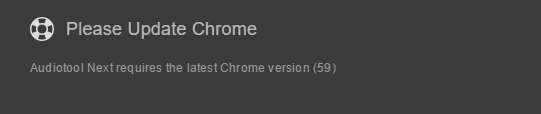
I have an issue. when i try to open Audiotool Next, i get a message saying
" Please Update Chrome
Audiotool Next requires the latest Chrome version (59) "
When i go to my search box and search "Google Chrome Update"
I re-install Chrome again causing the website to give me the latest version. when i re-open Chrome and reload Audiotool Next it says the same message.
Please Help.
Comments (9)
Please help!!!
https://www.audiotool.com/user/andremichelle/
https://www.audiotool.com/user/andremichelle/ How do i know what my Chrome version is? also im on a Microsoft Windows 10 Laptop (DELL)
and the way I fixed it, google's help site says to :
"
On your computer, open Chrome.
In the address bar at the top, enter chrome://components and press Enter.
Under "Adobe Flash Player," click Check for update.
Go back to the page with the Flash content. If it doesn't load automatically, at the top left, click Reload Reload.
"
i had the same message and I fixed it bu updating flash, even though i had everythin up to date.
*by
what happened?
https://www.audiotool.com/user/andremichelle/
never mind its working now