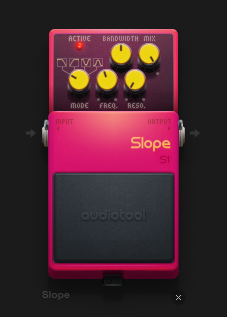
The Slope effect pedal is a filter with 4 different modes, Lowpass, highpass, notch and bandpass.
*highpass - Passes the signals high frequencies while attenuating (reducing the amplitude of) frequencies lower than the given cut-off frequency.
*lowpass - Passes the signals low frequencies while attenuating frequencies higher than the given cutt-off frequency.
*notch - Passes most frequencies unattenuated but attenuates frequencies in a specified range at low levels.
*bandpass - Passes frequencies within a specified range and attenuates frequencies outside of that range.
Comments (13)
I have a quick question about the range of the frequency knob. I noticed that it only goes up to something like 10k hz, and not as far as something like Curve which goes up to 20k I think. Is there a reason for that? I've had times where I've wanted to lowpass a sound just a little bit, and 10k is farther than I want, so I end up using a Curve or something to get it right where I want it.
Also, if there isn't a way to get it where I want it with just a Slope, is there a more efficient way to get there than with a Curve? I know it uses a lot of CPU
Alright, thanks
why cant i create a manual frequency track out of slope
If you mean automating the Frequency knob, just right-click that knob and select Automate Parameter from he context menu. An automation track will appear in your timeline.
Is bandwidth the same as Q function, for example, as on many other DAWS
Yes, it is.
what does the value for bandwidth equate to? according to a quick google search, bandwidth determines the rate at which information can be transmitted through the circuit...this bandwidth function states that it passes/attenuates freqs within/outside "a specified range" . what does that mean? is that specified range in relation to the freq range of the input sound? and what does the -/+ 1 value mean in relation to that specified range? like, does 1 unit = 1k freq in either direction? or does the bandwidth value affect the freq range of the frequency knob value, if so, then by how much per 1 unit of bandwidth? can anyone help me understand? sorry if it's a dumb question. let me know if I need to reword my question more clearly :) thanks!
When the “Mode” selector is in band-stop/notch or band-pass modes, this knob sets the amount by which the cutoff frequency of the low-pass and high-pass filters shifts away from the value set by the frequency knob. Both filters’ cutoff frequencies move away in opposite directions. Its range goes from 300 Hz below for the high-pass filter and above for the low-pass filter at minimum through no shift at center to 300 Hz above for the high-pass filter and below for the low-pass filter at maximum. When the “Mode” selector is in low-pass or high-pass, this knob does nothing. Note: To obtain an authentic notch frequency response in band-stop/notch mode, set this knob to 0 Hz.
i will try these next time in in the studio, thank you for taking the time to answer my questions :)
Hi sorry, dumb question(I'm kinda new here), but how do you connect it to a note track?
and if I can't, how do I add volume slopes to note tracks?
(thanks for taking the time to answer my questions btw)
This device is an effect pedal and doesn't use note tracks. Only automation tracks.
For a better overview of your requests we ask you to post questions about help for this device in our HELP board https://www.audiotool.com/board/support
And if you have found a bug, post it here https://www.audiotool.com/board/bug_reports
Thanks